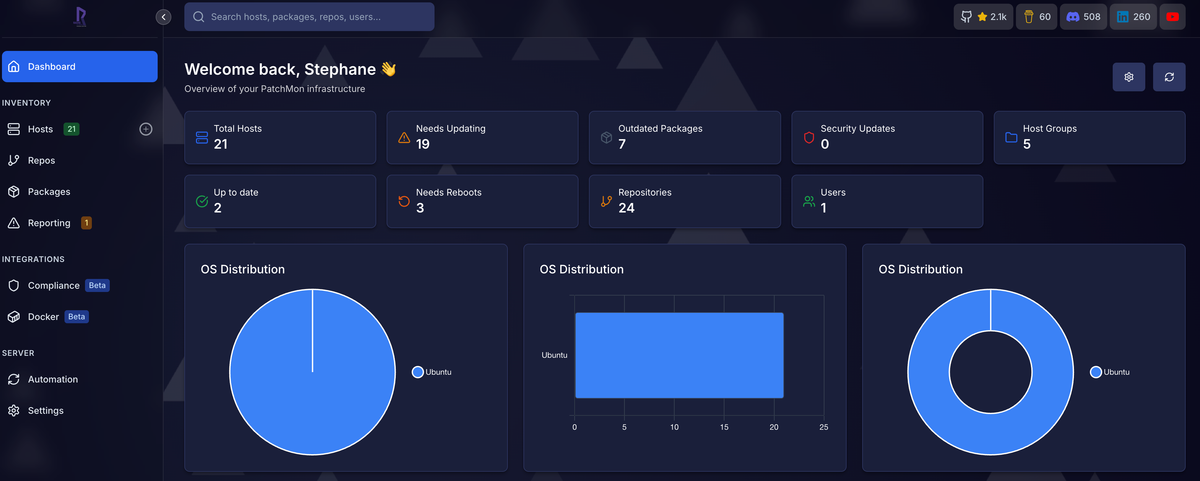
Tracking patches across homelab VMs used to eat up too much of my time. Which ones got updated last week? Did that database server get the security fix? No idea. PatchMon fixed that for me. But manually enrolling every new VM got old fast.
So I automated it. Now every VM I spin up shows up in PatchMon automatically. Here's how I did it. Two approaches: one with AWX, one without.
What You'll Need
- A PatchMon instance
- Proxmox with a cloud-init template (I use Ubuntu 24.04)
- An auto-enrollment token from PatchMon (grab it from Settings then Integrations)
The Simple Way (No Ansible)
No Ansible? No problem. Proxmox's cloud-init can handle this.
Create a Cloud-Init Snippet
SSH into any Proxmox node. Create this file on your shared storage:
cat > /mnt/pve/Datastore/snippets/patchmon-enrollment.yml << 'EOF'
#cloud-config
keyboard:
  layout: fr
  model: pc105
  variant: azerty
timezone: Europe/Paris
runcmd:
  - systemctl enable qemu-guest-agent
  - systemctl start qemu-guest-agent
  - curl -s "http://YOUR_PATCHMON/api/v1/auto-enrollment/script?type=direct-host&token_key=YOUR_KEY&token_secret=YOUR_SECRET" | bash
EOF
Swap in your actual PatchMon URL and tokens. This snippet runs on every VM that uses it.
Use It When Creating VMs
# Clone your template
qm clone 9000 113 --name my-app-server --full

# Hook up the snippet (note: vendor, not user!)
qm set 113 --cicustom "vendor=Datastore:snippets/patchmon-enrollment.yml"
qm set 113 --ciuser myuser --cipassword supersecret
qm set 113 --ipconfig0 ip=dhcp

# Boot it
qm start 113
Here's the gotcha that cost me an hour: use vendor= not user=. Proxmox generates its own user-data with the hostname. If you override it with user=, your VM ends up named "ubuntu" instead of what you actually called it. Vendor-data merges with the defaults instead of replacing them.
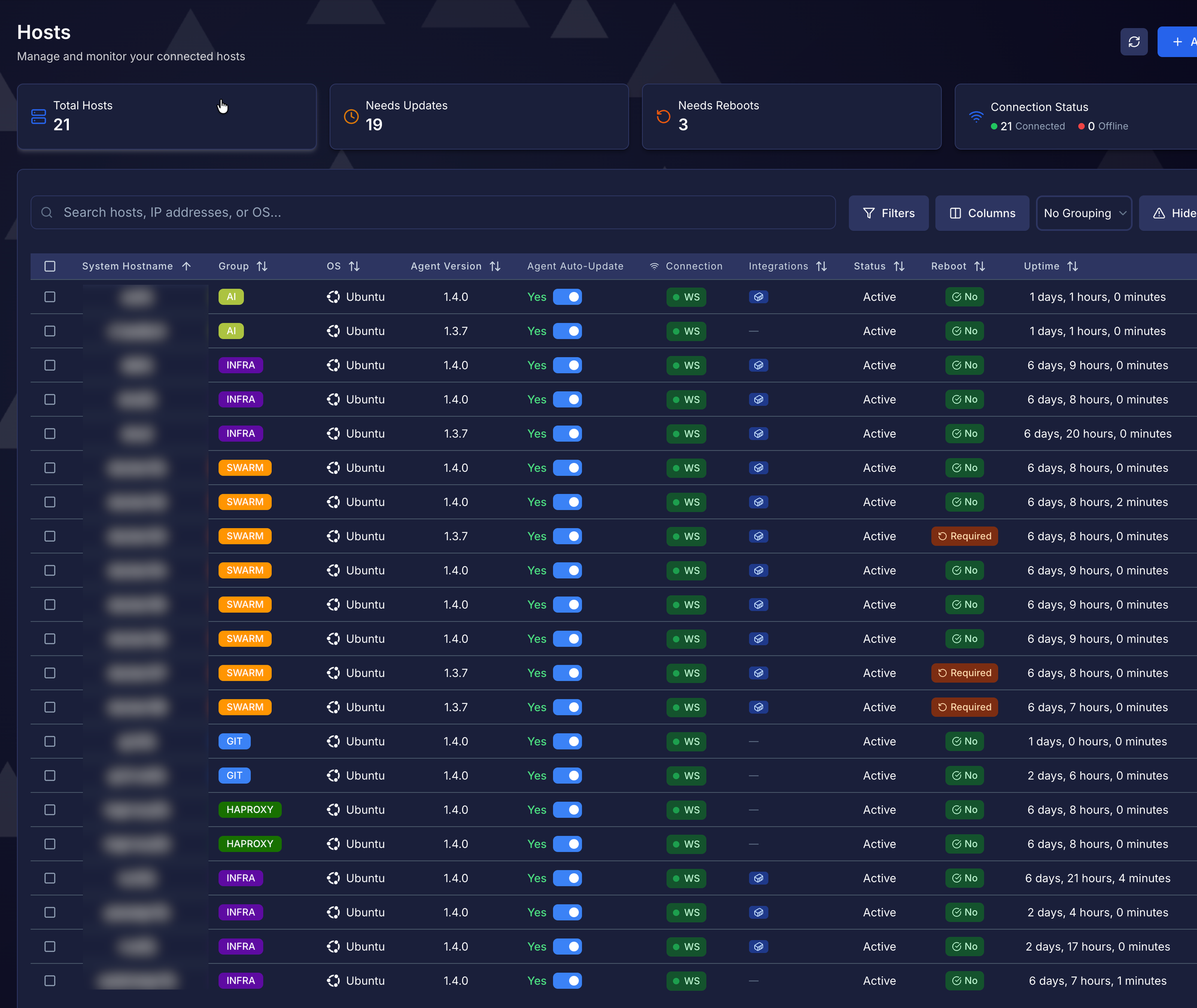
Give it 2-3 minutes after boot. Check PatchMon. Your VM should be there with the right hostname.
The AWX Way (One-Click VMs)
Running AWX? You can take this further. Fill out a form, click Launch, get a VM enrolled in PatchMon. Takes about a minute.
Set Up the Proxmox Credential
Create a custom credential type in AWX for your Proxmox API token:
# Input Configuration
fields:
  - id: proxmox_token_secret
    type: string
    label: API Token Secret
    secret: true

# Injector Configuration
extra_vars:
  proxmox_token_secret: "{{ proxmox_token_secret }}"
The Playbook
Nothing fancy. Just API calls:
---
- name: Clone Ubuntu VM
  hosts: localhost
  gather_facts: false

  vars:
    api_base: "https://10.0.0.100:8006/api2/json"
    api_auth: "PVEAPIToken=apiuser@pam!mytoken={{ proxmox_token_secret }}"
    cloudinit_snippet: "Datastore:snippets/patchmon-enrollment.yml"

  tasks:
    - name: Get next VMID
      uri:
        url: "{{ api_base }}/cluster/nextid"
        headers: { Authorization: "{{ api_auth }}" }
        validate_certs: false
      register: vmid

    - name: Clone and configure
      uri:
        url: "{{ api_base }}/nodes/{{ target_node }}/qemu/9000/clone"
        method: POST
        headers: { Authorization: "{{ api_auth }}" }
        body_format: form-urlencoded
        body:
          newid: "{{ vmid.json.data }}"
          name: "{{ vm_name }}"
          full: "1"
        validate_certs: false

    - name: Set cloud-init
      uri:
        url: "{{ api_base }}/nodes/{{ target_node }}/qemu/{{ vmid.json.data }}/config"
        method: PUT
        headers: { Authorization: "{{ api_auth }}" }
        body_format: form-urlencoded
        body:
          ipconfig0: "ip=dhcp"
          ciuser: "{{ ci_user }}"
          cipassword: "{{ ci_password }}"
          cicustom: "vendor={{ cloudinit_snippet }}"
        validate_certs: false

    - name: Start
      uri:
        url: "{{ api_base }}/nodes/{{ target_node }}/qemu/{{ vmid.json.data }}/status/start"
        method: POST
        headers: { Authorization: "{{ api_auth }}" }
        validate_certs: false
Add a Survey
Create a Job Template and add survey fields for vm_name, target_node, ci_user, ci_password. Now anyone on your team can spin up VMs without touching the Proxmox UI.
Stuff I Learned the Hard Way
again the vendor= vs user=. This one bit me. Proxmox puts the hostname in user-data. Override it and your VMs all get named "ubuntu". Use vendor-data for custom stuff.
direct-host, not proxmox-lxc . PatchMon has different enrollment scripts. The proxmox-lxc one uses pct exec for containers. For VMs, you want type=direct-host.
Static snippet, dynamic config . Keep the snippet simple. Let Proxmox handle per-VM stuff (hostname, user, password) through its native options.
Cleaning Up: Automated Deletion
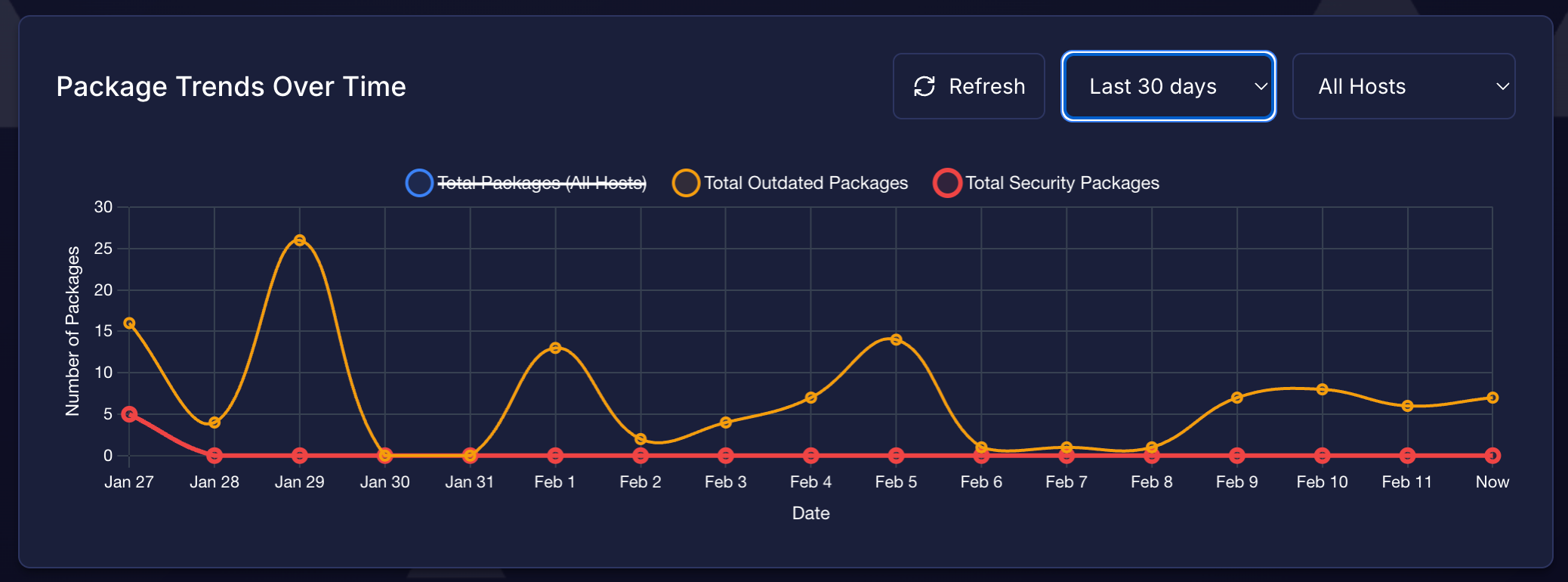
Auto-enrollment is great until you delete a VM and its ghost lingers in PatchMon forever. Good news: PatchMon 1.4.0 added scoped API credentials that can delete hosts.
Create an API Token
In PatchMon, go to Settings, then Integrations, then New Token. Pick "API" as the type (not Auto-Enrollment). Give it host:get and host:delete scopes. Save the key and secret somewhere safe.
Delete a Host via API
First, find the host UUID:
curl -s -u "TOKEN_KEY:TOKEN_SECRET" "http://YOUR_PATCHMON/api/v1/api/hosts" | jq '.hosts[] | {id, hostname}'Then delete it:
curl -s -X DELETE -u "TOKEN_KEY:TOKEN_SECRET" "http://YOUR_PATCHMON/api/v1/api/hosts/HOST_UUID"AWX Playbook for Full Cleanup
If you're using AWX, you can wire this into a "Delete VM" job template that cleans up Proxmox, AWX inventory. PatchMon in one click:
- name: Find host in PatchMon
  uri:
    url: "{{ patchmon_url }}/api/v1/api/hosts"
    method: GET
    url_username: "{{ patchmon_token_key }}"
    url_password: "{{ patchmon_token_secret }}"
    force_basic_auth: true
  register: patchmon_hosts

- name: Get PatchMon host UUID
  set_fact:
    patchmon_host: "{{ patchmon_hosts.json.hosts | selectattr('hostname', 'equalto', vm_name) | first | default(none) }}"

- name: Delete host from PatchMon
  uri:
    url: "{{ patchmon_url }}/api/v1/api/hosts/{{ patchmon_host.id }}"
    method: DELETE
    url_username: "{{ patchmon_token_key }}"
    url_password: "{{ patchmon_token_secret }}"
    force_basic_auth: true
    status_code: [200, 204, 404]
  when: patchmon_host is not none
Store the PatchMon credentials as an AWX credential (custom type with token_key and token_secret fields). Now deleting a VM is as clean as creating one.
That's It
Every VM I create now shows up in PatchMon within minutes. No extra steps. No forgotten test servers running unpatched for months. The afternoon I spent on this paid for itself.