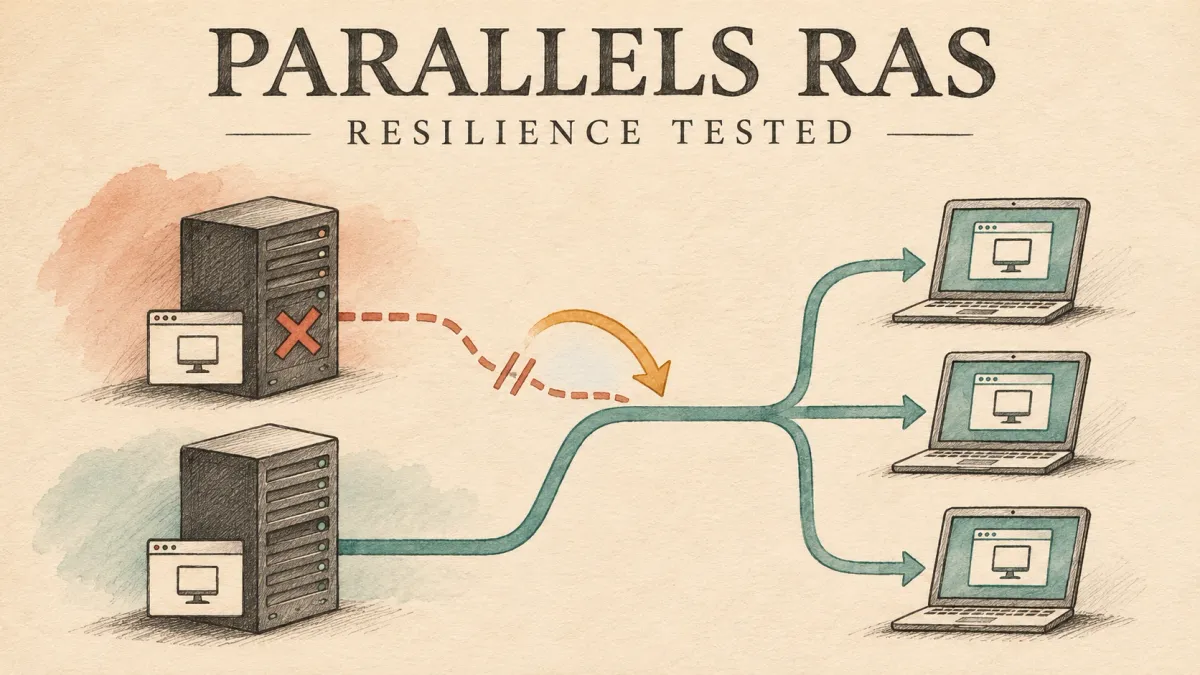
Two servers per role look reassuring on a diagram. I wanted to know what that redundancy actually feels like when a server stops: can you keep working, reconnect to your desktop, or open a new application?
The lab campaign covered ten initial shutdowns, six targeted retests and a separate nominal SAML check. Every stopped machine was restored and checked. The monitoring-server shutdown was deliberately excluded.
The useful finding is not a blanket pass or fail. Several recovery paths worked, and tuning was followed by better gateway recovery. But recovering a session is not the same as keeping it uninterrupted, and a browser relaunch is not automatic failover.
These are results from controlled, orderly shutdowns in a RAS 21.2 lab on 30 October 2026. They are not a production acceptance test or evidence for sudden power loss, a network black hole or hypervisor failure.
The results at a glance
Read these as observed outcomes, not a guarantee for every outage. Later success does not erase the initial failures.
- Secure Gateway: affected connections dropped. After tuning, recovery through the survivor was demonstrated; native automatic recovery was explicitly confirmed in one run. HTML5 required manual relaunch, with reauthentication in the gateway tests. Fresh application access succeeded in a targeted retest, not every run.
- HALB: passive-node loss preserved usability. Active-node loss moved the VIP but interrupted connections. In the retest, native recovery was automatic, HTML5 recovery was manual, and fresh access succeeded before restoration.
- Connection Broker: existing desktops stayed usable. Fresh access succeeded during primary loss; it was not tested during secondary loss. Independent PowerShell administration did not survive primary loss.
- Enrollment Server: new SAML desktop access through the survivor succeeded in one direction. Existing credential-based sessions were not a test of certificate-enrollment resilience. Reverse-direction SAML failover remains untested.
- RD Session Host: its sessions ended. Other-host desktops stayed usable. A new desktop is not recovery of the lost application memory.
What we tested
The lab had two Connection Brokers, two Secure Gateways, two Enrollment Servers, two RD Session Hosts, two HALB appliances and a monitoring server. Existing desktops used both the native Windows client and HTML5. A separate account was reserved for fresh-session and published Notepad checks.
For each outage, we kept three questions separate:
- Continuity: could an existing desktop still be used?
- Recovery: if it disconnected, did the same Windows session return automatically or after manual action?
- Fresh access: could an account without an existing session log on and open the published application before the removed server returned?
Server records were checked against the operator's experience. A successful HTTP request or an Active session flag was not enough to call an application usable. The original failures and missing checks remain part of the result, even where a later retest succeeded.
How the lab fits together
The diagram separates the gateway-mediated session path from brokering and certificate enrollment. It is a role-level map, not a packet trace or a complete port matrix. The broker selects and coordinates access; it is not an extra RDP relay between the gateway and the session host.
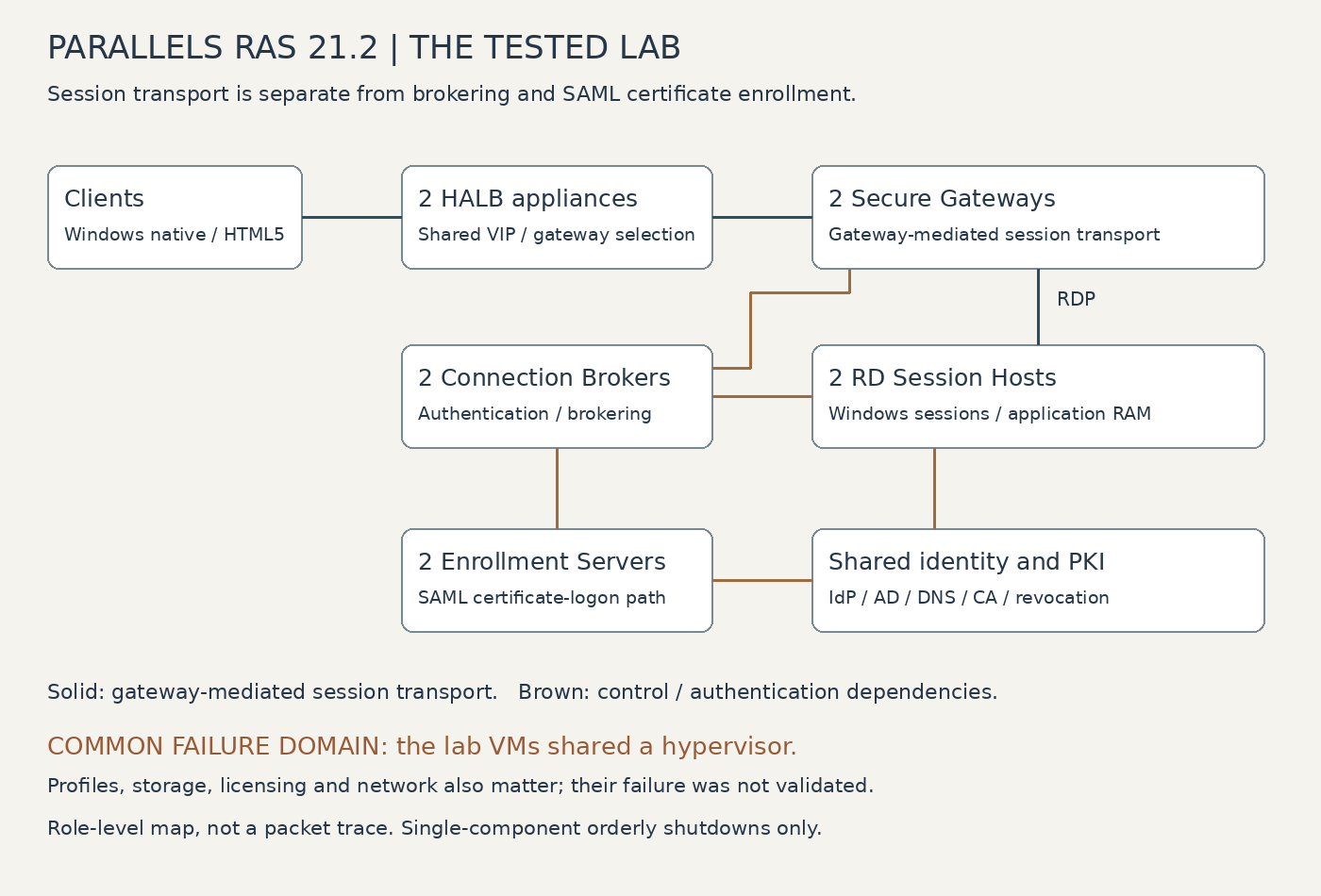
All these redundant roles still shared a hypervisor in the collected inventory. Two VMs per role protected the tested component paths, not that common host. Identity, DNS, PKI, profiles, storage and network services also remain dependencies even when they sit outside the shutdown campaign.
Gateways: the most useful before-and-after result
The Secure Gateway carries the remote connection in the gateway-mediated path tested here. Losing that gateway can break the transport without ending the Windows session on its session host. A surviving gateway provides a possible recovery route, not preservation of the old connection.
The initial tests exposed a recovery gap
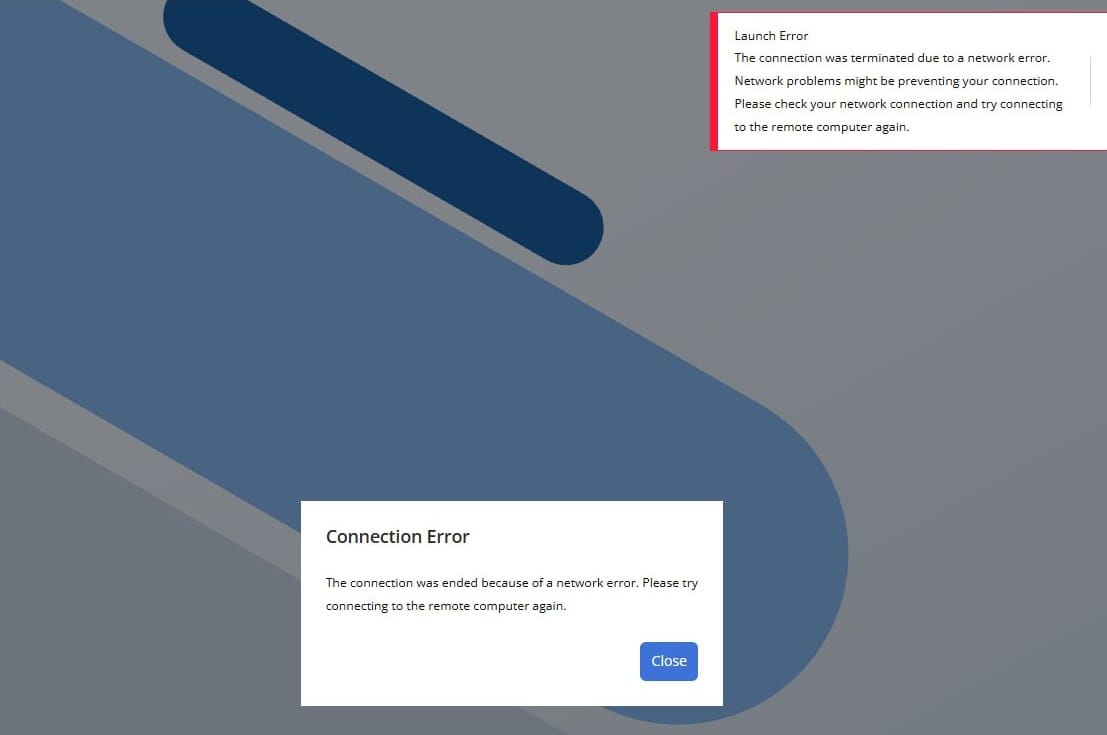
Removing the first gateway disconnected the native desktop and the HTML5 desktop using it. The browser desktop on the other gateway remained usable.
The native desktop recovered automatically only when the removed gateway returned, with about 118.9 seconds between server disconnect and reconnect events. The affected browser desktop needed portal reauthentication and manual relaunch, reconnecting to its original Windows session after about 173.2 seconds. No fresh Notepad launch was attempted in this case.
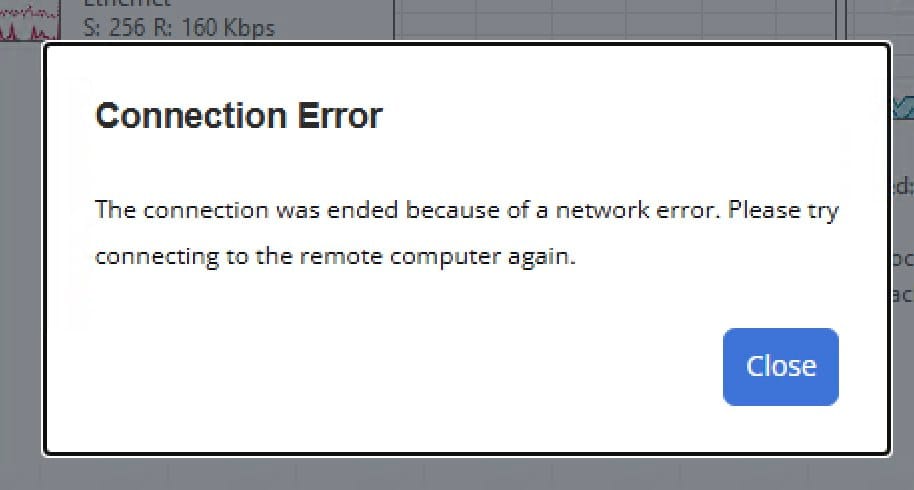
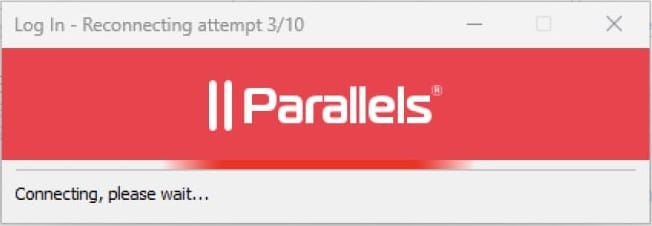
Removing the other gateway disconnected its browser desktop. It recovered after reauthentication and manual relaunch, with a 256.5-second event interval. The desktops using the surviving gateway stayed usable. A fresh Notepad launch was attempted but failed, and the test account's web interface remained unusable until the gateway returned. A later logon and process start did not turn that failed outage-time attempt into a success.
What changed
A repeat of the second gateway test reproduced the problem. The affected browser desktop reconnected only after restoration, after about 168.1 seconds. Fresh application access also worked only afterward. Portal probes recorded TLS errors and timeouts during the outage, consistent with the reported access problem, but not enough to identify a certificate fault or a universal outage. The other desktops were present in the captures; their usability was not explicitly confirmed for this repeat.
A read-only check found the HALB gateway health-check interval and gateway connection timeout both set to 150 seconds, longer than the roughly 79-second stopped window. Slow removal of an unavailable backend was a plausible explanation, not a proven account of the runtime mechanism.
The operator changed the health-check interval to 5 seconds and the gateway connection timeout to 30 seconds. Both values were read back before testing again. Source-IP affinity, both backends, TLS passthrough and the separate 150-second inactivity timeout were retained.
The retests demonstrated recovery through the survivor
With those settings, the portal returned after transient errors while the selected gateway was still stopped. A fresh logon and Notepad process used the surviving gateway, and the operator confirmed that the application was usable. The affected browser desktop recovered its original session through the survivor after about 67.7 seconds, following reauthentication and manual relaunch. The other two desktops remained usable.
A test of the opposite gateway then showed both affected desktops recovering their original sessions through the surviving gateway before restoration: about 43.9 seconds for the native client and 43.3 seconds for HTML5. The native desktop resumed after waiting; the browser user reauthenticated and relaunched. That particular native-client testimony did not explicitly establish the absence of every manual action or credential prompt. The unaffected browser desktop remained usable. Fresh access was not requested in this run, and sampled portal requests showed no failure.
Finally, the existing shared client policy's connection timeout was changed from 60 to 30 seconds, retaining reconnection, ten retries, filters, priority and five-second banners. The setting was independently read back and confirmed on the client; it applied to the policy's covered users, not just the test administrator. It was not reverted to 60 seconds.
In the next gateway retest, the native desktop recovered through the survivor automatically, without a click or new credentials, and was confirmed usable. Its server event interval was 47.36 seconds, compared with 43.9 seconds previously. That is no demonstrated speed gain from the shorter client timeout. A separate new logon occurred only after restoration, and witness-desktop usability was not confirmed for this run.
The practical improvement was recovery and fresh access through the remaining gateway. It was not uninterrupted service, proof that the tuning alone caused the improvement, a five-second recovery guarantee or automatic HTML5 recovery. The reason reauthentication was needed remains unresolved.
What the timeout changes actually mean
- HALB gateway health-check interval, 150 to 5 seconds: this controls probe frequency, not a five-second user recovery SLA. More frequent probes add checking activity; effective backend removal still depends on health-check behavior.
- Gateway connection timeout, 150 to 30 seconds: this bounds connection establishment in the HALB gateway configuration. It is separate from the unchanged 150-second inactivity timeout. Too-short connection limits can penalize slow but working paths.
- Client policy connection timeout, 60 to 30 seconds: this affects client connection attempts, not backend health detection. Reconnection and ten retries stayed enabled. The later native recovery was automatic, but was not faster in the measured server events.
These are the values exercised in this lab, not universal recommended defaults. Change one layer deliberately, verify policy coverage and healthy slow paths, then retest both reconnection and fresh access. The before-and-after sequence supports an operational improvement, not a controlled proof of which individual setting caused it.
HALB: the address moved, the connections still dropped
HALB provides a shared virtual address in front of the gateways and directs connections to available backends. Moving that address to its peer does not mean an established connection survives the move. Detecting a failed gateway and taking over a failed HALB appliance are also different mechanisms.
Stopping the passive appliance left the three desktops usable and the virtual IP on its peer. The operator reported a successful Notepad launch, but a fresh logon during that stopped window was not corroborated. The captured process started after restoration.
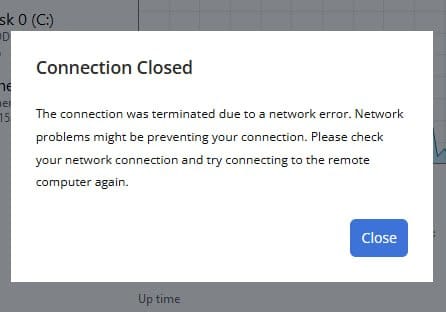
Stopping the active appliance transferred the virtual IP successfully, but interrupted desktop access. The native desktop reconnected automatically; the browser desktops were recovered by relaunching. Server event intervals were about 22.7 seconds for the native desktop and 44 seconds for one browser desktop. The operator also reported losing a Notepad window, but the available captures did not establish that application's session timing. They do not prove session destruction or data loss.
Active-appliance retest
The later retest again transferred the virtual IP to the peer. All three desktops reconnected to their original Windows sessions before the removed appliance restarted:
- The native desktop recovered automatically. The disconnect-to-reconnect event interval was about 0.288 seconds, or 1.454 seconds from an earlier associated event. Neither measures the perceived freeze.
- The two HTML5 desktops needed manual relaunch, reconnecting after about 15.7 and 34 seconds. Manual relaunch alone does not establish that another authentication was required.
- A separate account produced a fresh logon and Notepad process during the outage. The operator confirmed that Notepad was usable.
Virtual-IP ownership changed between samples about three seconds apart, not a measured three-second takeover. HTTP probes succeeded at their sampling points without ruling out brief interruptions.
The active-HALB retest had a shorter confirmed stopped window than planned: 40 seconds rather than 75. Recovery and fresh access succeeded within that window, but a longer outage was not validated. Two full recovery checks passed, and the peer retained the virtual IP without forced failback.
Takeover, recovery and fresh access succeeded in that window. Uninterrupted access did not. This matches the vendor's warning about disconnects during HALB takeover.
Brokers: user access survived, independent administration did not
Connection Brokers coordinate authentication, resource selection and session placement. An already-established desktop does not require its traffic to flow through a broker. That explains why continued desktop usability and the ability to administer the farm must be tested separately.
The three existing desktops remained usable during both broker shutdowns. A fresh logon and a usable Notepad launch were also corroborated while the primary was stopped. No fresh launch was attempted during the secondary-broker outage, and the exact broker processing each authentication was not established.
Administration behaved differently. PowerShell administrative reads targeting the secondary failed while the primary was unavailable, although direct OS observation remained available. Later logs showed administrative connections being redirected to the unavailable licensing-site primary. The old collector had not retained stderr, so the exact exception and failing cmdlet cannot be reconstructed. The graphical console and REST were not directly tested.
This is consistent with the documented responsibilities of secondary brokers: runtime redundancy does not transfer every primary-only administration function. In this single-site lab, the same broker held both the site-primary and licensing-site-primary roles.
Automatic promotion was enabled with a 30-minute delay, but the documented minimum is three active brokers in a Site. With only two, the setting is ignored. Another short outage would not solve or validate that limitation.
For a lasting primary loss, a supported manual-promotion procedure remains a recovery option. A third active broker would need evaluation if automatic management recovery is required. Neither was implemented here. That design work must cover connectivity, split-brain precautions, licensing and the applicable return/failback rules rather than treating promotion as a harmless toggle.
One technical issue remains open: exception counters increased from 11 to 12 on the secondary and 12 to 13 on the primary, then remained stable. Startup redundancy and XML messages were observed, but their relationship to those increments was not established. Healthy services and matching configuration views do not explain the counters or prove exhaustive replication convergence.
Enrollment: we had to test the authentication path itself
Enrollment Servers support the certificate-based Windows logon path used with SAML. Their availability matters when that path needs certificate operations; an already-open desktop or a credential-based logon can bypass the very dependency we want to test. The IdP and CA remain separate requirements.
The first Enrollment Server shutdown left the existing desktops usable; no fresh Notepad launch was attempted. During the other server's shutdown, a fresh logon and usable Notepad launch succeeded. Those earlier sessions used credentials. Neither result established SAML failover or a new certificate enrollment.
A separate nominal HTML5 check explicitly recorded SAML authentication, contact with the first Enrollment Server, a new Windows logon and a usable desktop without another Windows password prompt. The configured IdP was Authentik, although its own logs were not independently collected. That validated the normal path, not its redundancy.
Preparation also corrected the diagnostic target: the initial query had used a retired CA endpoint. The actual CA was available; no DNS, network or PKI repair was needed. The required Enrollment Agent and smartcard-logon templates were published, the agent certificates were present and time-valid, and the applicable signed base and delta revocation lists were reachable and current when checked. Static enrollment permissions were examined separately. An initial offline revocation-check failure did not mean the certificate was revoked. These checks were not an exhaustive audit of private keys, runtime revocation or every permission.
Functional SAML failover succeeded in one direction
After closing the old Windows session and verifying its absence, we stopped the first Enrollment Server. The broker excluded it, and the session host explicitly contacted the survivor. That server reported needing a new user certificate. Signing activity, a new SAML Windows logon and a new shell followed before the first server restarted.
A distinct user certificate appeared on the survivor, absent from the preparatory collection. Together with the logs, this supports new enrollment, although an independent CA issuance audit and exact issuance time were not collected. A cached-public-key message alone would not prove reuse of an old user certificate.
The operator confirmed a usable new desktop without another Windows password prompt. Functional failover was demonstrated for this direction and this run, not inferred from an already-open application. No cache purge, artificial enrollment or PKI permission change was used.
The reverse-direction SAML test remains untested. Both Enrollment Servers shared a hypervisor, so this was not evidence of host-failure resilience. The Enrollment HA documentation also distinguishes the servers' separate certificate repositories.
Session hosts: a new desktop does not bring back RAM
The RD Session Host runs the user processes and holds their live memory. Broker and gateway redundancy can help users reach another host, but does not replicate an application’s running state onto it.
Stopping the host carrying two browser desktops terminated both sessions. The native desktop on the other host remained usable. A fresh logon on that survivor was corroborated, and the operator reported a successful Notepad launch; the process itself was not captured.
After the stopped host returned, the two original users reopened usable desktops there. Their session numbers were reused, but the logoffs and reboot establish new sessions, not surviving application processes.
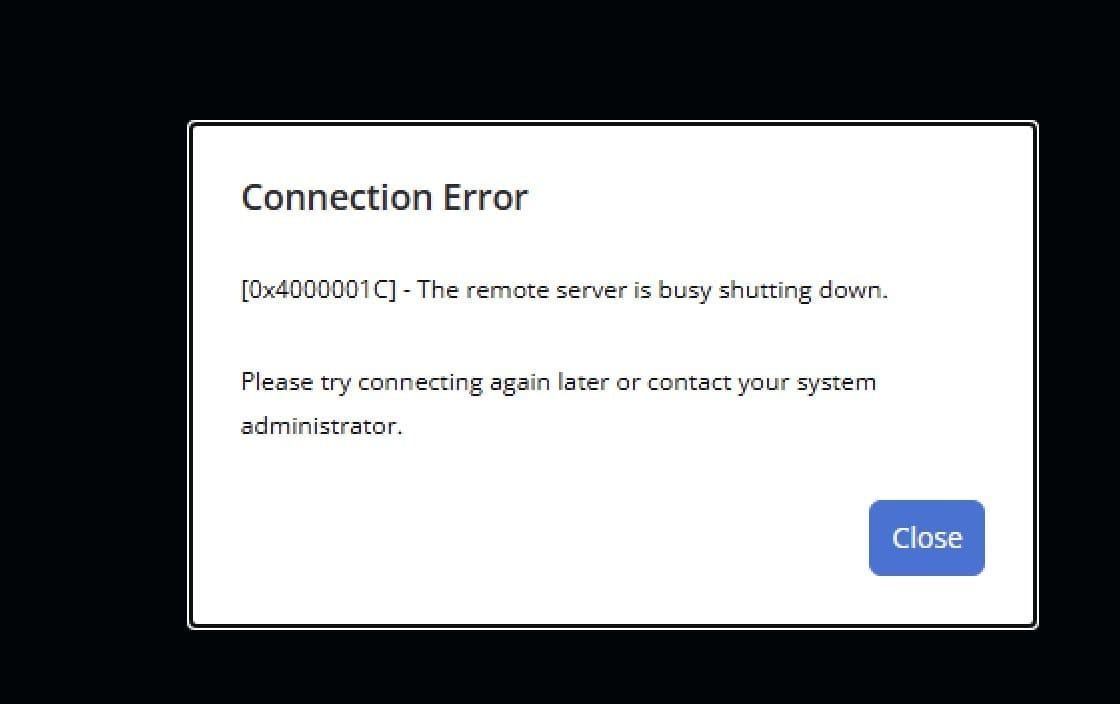
Stopping the other session host terminated the native desktop while the two browser desktops on the survivor remained usable. No fresh Notepad launch was attempted during that outage. A new native desktop worked after the original host returned, which is recovery after restoration, not failover during the outage.
No session memory migrated. For planned maintenance, draining the host and letting users save and end their sessions remains the practical answer. Persistent profiles, including FSLogix, do not preserve live application RAM.
What these results do not prove
All sixteen shutdown runs ended with independent restoration and two complete infrastructure checks. Recovery did not depend on the RAS components being tested. Conflicting status reports were reconciled against direct observations; a cached health flag alone was not treated as proof of restoration or VIP ownership.
Reconnection intervals above come from server events, not a stopwatch on user comfort. A healthy page, agent or session flag does not prove application usability, and successful process startup is not an editing or saving test.
The remaining boundaries are straightforward:
- Monitoring was excluded, not passed or failed.
- Missing fresh-launch attempts and reverse-direction SAML failover remain untested.
- Only one component was stopped at a time, gracefully. The lab inventory placed the VMs on a shared hypervisor, and no Proxmox HA resource was configured in that collection.
- Hypervisor loss, N+1 capacity, shared identity/MFA, DNS, CA, licensing, storage and network failures were not validated. Kubernetes was outside the shutdown scope too.
- Profile and data availability, editing, saving, RPO and absence of data loss were not established.
What I would change in the architecture
I would keep the redundancy, but stop treating the component count as the availability design.
- Separate failure domains. Place redundant peers on different physical hosts and review shared storage, networking and power dependencies. A restart by hypervisor HA is not uninterrupted session service.
- Size for the survivor. Validate that remaining gateways, brokers and session hosts can carry the required load after a loss. These functional tests did not establish N+1 capacity.
- Prepare primary-broker recovery. Document supported manual promotion and return procedures, with safeguards against conflicting primaries. Evaluate a third active broker if automatic promotion is required; the two-broker lab did not meet that feature’s minimum.
- Protect the whole sign-in and data path. Include the IdP/MFA service, AD/DNS, CA and revocation access, licensing, profile storage and user data. Duplicating RAS roles does not remove these dependencies.
- Set user-facing recovery objectives. Agree separately how much interruption is acceptable, whether manual relaunch is acceptable, and how quickly a new user must get in. Specify RPO for saved data separately from session-reconnection time.
- Plan maintenance around the workload. Drain session hosts and allow users to save their work. Profiles and backups help recover persisted state; they do not save unsaved application memory.
These are design recommendations from the findings, not changes implemented or validated by this campaign.
What I would validate next
- Close the functional gaps: repeat SAML failover in the opposite direction with a genuinely new logon and evidence of the enrollment path; complete missing fresh-access checks while the selected component is still unavailable.
- Test the surviving capacity: repeat representative failures at realistic concurrency and check sign-in rates, responsiveness and resource saturation rather than process counts alone.
- Exercise different failure modes: under a separate approved plan, test abrupt loss, an unresponsive network path and a physical-host failure. An orderly shutdown can notify peers in ways those failures cannot.
- Validate usable data recovery: check profile attachment, application editing and saving, persisted files and the agreed recovery objectives. Include shared authentication, PKI, storage and network dependencies in that wider plan.
This is a prioritized follow-up list, not additional test results. No new outage or infrastructure change was performed for this article revision.
The practical takeaway
The gateway retests gave the clearest improvement: after tuning, both session recovery and fresh application access worked through the survivor before the removed gateway returned. Native automatic recovery was explicitly confirmed in one later run, but the shorter client timeout did not demonstrate faster recovery. HTML5 still needed manual action.
HALB takeover worked without preserving uninterrupted connections. Broker user access survived while independent administration did not. A properly targeted SAML test demonstrated Enrollment failover in one direction. Session-host shutdowns ended the sessions they hosted.
The next useful work is to document those recovery paths and acceptable delays, prepare primary-broker recovery, investigate the unexplained exception increments and, if required, fill the remaining test gaps under a separate scope. Detailed timing records and raw evidence stay in the private technical record.
Redundancy helped. The tests showed exactly where it helped, what the user still had to do, and what remains unproven.
User experience: every test at a glance
Ten initial shutdowns, six shutdown retests and one separate nominal SAML check. The colour describes the observed experience of affected users, not a product pass/fail or a complete infrastructure availability score.
Green: no observed interruption in the checked user path, or successful fresh access for the SAML-only checks. Orange: interruption followed by recovery through a survivor, automatically or manually. Red: access failed during the outage, recovery waited for restoration, or a hosted session ended. Session-host shutdown is expected to end its sessions; red records that user impact, not an unexpected product defect. Untested paths are stated explicitly and are never implied to pass.
| Test | User impact | Short explanation / limit |
|---|---|---|
| Passive HALB loss | initial | GREEN | No observed interruption | Existing desktops stayed usable. Fresh application access during the outage was not corroborated. |
| Active HALB loss | initial | ORANGE | Interrupted, then recovered | Connections dropped; native recovery was automatic, HTML5 recovery manual. VIP takeover did not preserve connections. |
| Gateway 1 loss | initial | RED | Access failed or session ended | Affected desktops recovered only after restoration; HTML5 required reauthentication and relaunch. No fresh-launch test. |
| Gateway 2 loss | initial | RED | Access failed or session ended | Affected HTML5 access was interrupted and the fresh application launch failed during the outage. |
| Secondary broker loss | initial | GREEN | No observed interruption | Existing desktops stayed usable. Fresh application access was not tested. |
| Primary broker loss | initial | GREEN | No observed interruption | Existing desktops and a fresh Notepad launch worked. Independent PowerShell administration failed; not a user-session failure. |
| Enrollment Server 1 loss | initial | GREEN | No observed interruption | Existing desktops stayed usable. No fresh launch; this did not exercise SAML failover. |
| Enrollment Server 2 loss | initial | GREEN | No observed interruption | Existing desktops and fresh application access worked with credentials. SAML failover was not established. |
| Session Host 1 loss | initial | RED | Access failed or session ended | Hosted sessions ended; survivor desktops stayed usable. New logon on the survivor was recorded; application success was operator-reported. |
| Session Host 2 loss | initial | RED | Access failed or session ended | Hosted native session ended; other-host desktops stayed usable. Fresh access during the outage was not tested. |
| Gateway 2 | before tuning | RED | Access failed or session ended | Failure reproduced: HTML5 recovery and fresh application access succeeded only after restoration. |
| Gateway 2 | after HALB tuning | ORANGE | Interrupted, then recovered | HTML5 recovered through the survivor after manual action, about 67.7 s. A fresh usable application launch succeeded during the outage. |
| Gateway 1 | after HALB tuning | ORANGE | Interrupted, then recovered | Native and HTML5 sessions recovered through the survivor, about 43.9 / 43.3 s. HTML5 required manual action; fresh access untested. |
| Gateway 1 | client timeout retest | ORANGE | Interrupted, then recovered | Native session recovered automatically without clicks or credentials, about 47.36 s. No demonstrated speed gain; fresh access during outage untested. |
| Active HALB loss | retest | ORANGE | Interrupted, then recovered | Native recovery was automatic; HTML5 needed relaunch. Fresh access succeeded within the confirmed 40-second stopped window. |
| Enrollment Server 1 loss | SAML retest | GREEN | No observed interruption | A new usable SAML desktop opened through the survivor without another Windows password prompt. Reverse direction untested. |
| SAML nominal check | no outage | GREEN | No observed interruption | A new usable SAML desktop opened without another Windows password prompt. Normal-path validation, not a resilience test. |
Further reading
- HALB virtual-server settings
- Windows client connection modes
- Session login states, including DrainMode
Vendor documentation describes product capabilities and limits, not measurements from this lab. The HALB guide notes best-effort support for hypervisors outside its tested list.