Disabling the Parallels RAS Web Client CEP Popup, Carefully
Some problems are not big enough to deserve a project, but still annoying enough to fix.
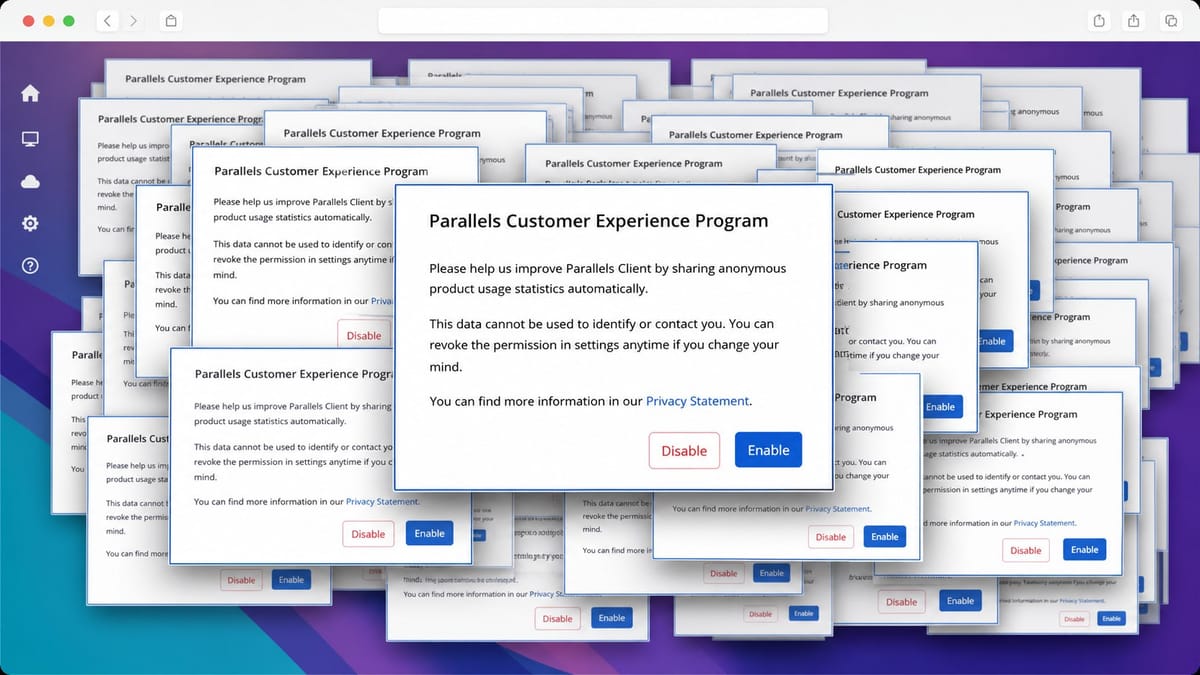
The Parallels RAS HTML5 Web Client has one of those: the Customer Experience Program popup that can appear on first login. It is only a small modal asking users whether they want to share anonymous usage statistics. Nothing dramatic.
But when you publish a clean user portal, especially for people who just need to open their apps and get to work, that popup is noise. It breaks the first impression. It also creates one more tiny question for users who should not have to care about Parallels telemetry settings at all.
So I wrote a small PowerShell script to turn it off.
.\Disable-RAS-WebClient-CEPPopup.ps1This is not a grand architectural move. It is a small vendor-bundle patch. Since that is already a bit dirty by nature, the important part is making it boring, reversible, and hard to run against the wrong file.
What The Script Changes
The RAS HTML5 Gateway serves the Web Client from this directory:
C:\Program Files (x86)\Parallels\ApplicationServer\2XHTML5Gateway\www\assetsThe actual application code is bundled into an index-*.js file. In that minified JavaScript, the CEP popup is controlled by this getter:
getters:{showCEPModal(e){return e.cepEnabled===null}}The script changes it to:
getters:{showCEPModal(e){return!1}}That is the whole patch: showCEPModal always returns false.
No theme rewrite. No portal redesign. No broad search-and-replace across the installation. Just one known condition in one known bundle.
Why I Made It Strict
Patching minified JavaScript from a vendor product is not something I want to do casually.
If Parallels changes the Web Client in a future update, the old signature may disappear. Or worse, something similar could appear more than once. In both cases, blindly replacing text would be asking for trouble.
So the script refuses to continue unless it finds exactly one matching, unpatched bundle and exactly one occurrence of the expected CEP condition.
If the signature check fails, nothing is changed.
That is the part that matters most. The patch itself is tiny; the guard rails are the real work.
What Happens During A Run
The script does a few things before touching the bundle:
- finds the Web Client assets directory;
- looks for
index-*.jsfiles; - searches for the exact CEP modal condition;
- requires exactly one match;
- creates a timestamped backup next to the bundle.
Only then does it write the patched JavaScript.
After writing, it validates the bundle with the node.exe that ships with the Parallels HTML5 Gateway:
node.exe --check index-xxxx.jsIf that JavaScript syntax check fails, the script restores the backup automatically.
That rollback is important. A broken login portal is not the kind of surprise anyone wants from a cosmetic tweak.
Dry Run First
Because the script uses SupportsShouldProcess, you can preview the operation with -WhatIf:
.\Disable-RAS-WebClient-CEPPopup.ps1 -WhatIfI would use that after every Parallels RAS update before applying the patch again. Updates can replace the Web Client bundle, and that is exactly why the script checks the signature instead of assuming the old bundle layout is still valid.
Restore If Needed
Every successful patch creates a backup like this:
index-xxxx.js.bak-cep-20260724-120829Restore mode takes that backup path:
.\Disable-RAS-WebClient-CEPPopup.ps1 `
  -RestoreBackup 'C:\Program Files (x86)\Parallels\ApplicationServer\2XHTML5Gateway\www\assets\index-xxxx.js.bak-cep-20260724-120829'
The original bundle path is derived from the backup filename, so the restore flow stays simple.
Operational Notes
Run it from an elevated PowerShell prompt on the RAS Secure Gateway.
The default path is:
C:\Program Files (x86)\Parallels\ApplicationServer\2XHTML5GatewayIf your gateway is installed somewhere else, pass the path explicitly:
.\Disable-RAS-WebClient-CEPPopup.ps1 -GatewayPath 'D:\Parallels\ApplicationServer\2XHTML5Gateway'And yes: this is an unsupported Web Client customization. A RAS update can overwrite it, and Parallels support may reasonably ask you to restore the original bundle while troubleshooting.
That is fine. The point is not to pretend this is an official knob. The point is to make the workaround repeatable, visible, and easy to back out.
Full Script
[CmdletBinding(SupportsShouldProcess, DefaultParameterSetName = 'Patch')]
param(
    [Parameter(ParameterSetName = 'Patch')]
    [string]$GatewayPath = 'C:\Program Files (x86)\Parallels\ApplicationServer\2XHTML5Gateway',

    [Parameter(Mandatory, ParameterSetName = 'Restore')]
    [string]$RestoreBackup
)

$ErrorActionPreference = 'Stop'

function Test-JavaScript {
    param(
        [Parameter(Mandatory)]
        [string]$NodePath,

        [Parameter(Mandatory)]
        [string]$ScriptPath
    )

    if (-not (Test-Path -LiteralPath $NodePath -PathType Leaf)) {
        Write-Warning "node.exe not found; JavaScript syntax validation skipped."
        return
    }

    & $NodePath --check $ScriptPath
    if ($LASTEXITCODE -ne 0) {
        throw "JavaScript syntax validation failed for '$ScriptPath'."
    }
}

if ($PSCmdlet.ParameterSetName -eq 'Restore') {
    $backup = Get-Item -LiteralPath $RestoreBackup
    $bundlePath = $backup.FullName -replace '\.bak-cep-\d{8}-\d{6}$', ''

    if ($bundlePath -eq $backup.FullName) {
        throw "Backup name must end with '.bak-cep-yyyyMMdd-HHmmss'."
    }

    if ($PSCmdlet.ShouldProcess($bundlePath, "Restore backup '$($backup.FullName)'")) {
        Copy-Item -LiteralPath $backup.FullName -Destination $bundlePath -Force
        Write-Host "Restored: $bundlePath"
    }
    return
}

$assetsPath = Join-Path $GatewayPath 'www\assets'
$nodePath = Join-Path $GatewayPath 'node.exe'
$oldCode = 'getters:{showCEPModal(e){return e.cepEnabled===null}}'
$newCode = 'getters:{showCEPModal(e){return!1}}'

if (-not (Test-Path -LiteralPath $assetsPath -PathType Container)) {
    throw "Parallels Web Client assets directory not found: $assetsPath"
}

$matches = @(
    Get-ChildItem -LiteralPath $assetsPath -Filter 'index-*.js' -File |
        Where-Object {
            [IO.File]::ReadAllText($_.FullName).Contains($oldCode)
        }
)

if ($matches.Count -ne 1) {
    throw "Expected exactly one unpatched Web Client bundle, found $($matches.Count). No change made."
}

$bundle = $matches[0]
$content = [IO.File]::ReadAllText($bundle.FullName)
$occurrences = ([regex]::Matches($content, [regex]::Escape($oldCode))).Count

if ($occurrences -ne 1) {
    throw "Expected exactly one CEP condition in '$($bundle.FullName)', found $occurrences. No change made."
}

$timestamp = Get-Date -Format 'yyyyMMdd-HHmmss'
$backupPath = "$($bundle.FullName).bak-cep-$timestamp"

if ($PSCmdlet.ShouldProcess($bundle.FullName, 'Disable the first-login CEP popup')) {
    Copy-Item -LiteralPath $bundle.FullName -Destination $backupPath

    try {
        $patchedContent = $content.Replace($oldCode, $newCode)
        [IO.File]::WriteAllText(
            $bundle.FullName,
            $patchedContent,
            [Text.UTF8Encoding]::new($false)
        )

        Test-JavaScript -NodePath $nodePath -ScriptPath $bundle.FullName

        $verification = [IO.File]::ReadAllText($bundle.FullName)
        if (-not $verification.Contains($newCode) -or $verification.Contains($oldCode)) {
            throw 'Post-write verification failed.'
        }
    }
    catch {
        Copy-Item -LiteralPath $backupPath -Destination $bundle.FullName -Force
        throw "Patch failed and the original bundle was restored. $($_.Exception.Message)"
    }

    Write-Host "CEP popup disabled: $($bundle.FullName)"
    Write-Host "Backup: $backupPath"
    Write-Warning 'A Parallels RAS update may replace the patched bundle.'
}
The Small Lesson
This is exactly the kind of fix that can go wrong if it is treated as harmless.
The change is tiny. The impact of a bad change is not. Users do not care that you only touched one minified getter; they care that the portal opens.
So the script keeps the override narrow, checks the target before patching, validates the result, and keeps a backup ready.
Not elegant. Useful. That is good enough for this one.