
HAProxy config management across multiple servers is tedious. SSH here, copy files there, reload, hope nothing breaks. I just deployed HAProxy Data Plane API on my HA cluster. It changes everything about how I manage the load balancer.
The Problem: Too Much Manual Work
My HAProxy setup consists of two nodes in active/passive high availability:
- haproxy01 (10.0.1.10) — Primary
- haproxy02 (10.0.1.11) — Secondary
Until now, changing anything meant:
- SSH into the primary node
- Edit /etc/haproxy/haproxy.cfg manually
- Validate syntax with haproxy -c
- Reload the service
- SSH into the secondary node
- Copy the configuration (rsync or manual)
- Reload the secondary
- Test failover still works
SSL certs synced automatically via rsync every 5 minutes. But the HAProxy config itself? All manual. Easy to mess up 😅
HAProxy Data Plane API
Data Plane API is a REST API that runs next to HAProxy. It gives you programmatic access to:
- Configuration management (backends, frontends, servers, ACLs)
- Runtime operations (enable/disable servers, drain connections)
- Statistics and monitoring
- SSL certificate management
- Cluster synchronization between nodes
Version 3.0.17 works with HAProxy 2.8 LTS, which is what Ubuntu 24.04 ships.

Manual Installation (Without Ansible)
No Ansible? Here's how to install it manually on each HAProxy node. Grab the latest release from the Data Plane API GitHub releases page (https://github.com/haproxytech/dataplaneapi/releases).
Step 1: Download the Binary
Check your HAProxy version first:
haproxy -v
# HAProxy version 2.8.x requires Data Plane API 3.0.x
Download and install:
# Download Data Plane API 3.0.17
wget https://github.com/haproxytech/dataplaneapi/releases/download/v3.0.17/dataplaneapi_3.0.17_linux_x86_64.tar.gz

# Extract
tar -xzf dataplaneapi_3.0.17_linux_x86_64.tar.gz

# Install binary
sudo mv dataplaneapi /usr/local/bin/
sudo chmod +x /usr/local/bin/dataplaneapi

# Verify installation
dataplaneapi --version
Step 2: Create Required Directories
sudo mkdir -p /etc/haproxy/dataplane-storage
sudo mkdir -p /etc/haproxy/maps
sudo mkdir -p /etc/haproxy/ssl
sudo mkdir -p /etc/haproxy/backups
sudo mkdir -p /tmp/haproxy-transactions
sudo mkdir -p /tmp/spoe-haproxy

# Set permissions
sudo chown -R root:haproxy /etc/haproxy/dataplane-storage
sudo chmod 755 /etc/haproxy/dataplane-storage
Step 3: Add API User to HAProxy Config
Add a userlist to your haproxy.cfg for API authentication:
# Edit HAProxy config
sudo nano /etc/haproxy/haproxy.cfg

# Add this BEFORE your frontend sections:
userlist controller
    user admin insecure-password YOUR_SECURE_PASSWORD

# Validate and reload
sudo haproxy -c -f /etc/haproxy/haproxy.cfg
sudo systemctl reload haproxy
Step 4: Create Data Plane API Configuration
sudo tee /etc/haproxy/dataplaneapi.yaml << 'EOF'
config_version: 2
name: haproxy-node

dataplaneapi:
  scheme:
    - http
  host: "0.0.0.0"
  port: 5555

  cleanup_timeout: "10s"
  graceful_timeout: "15s"
  max_header_size: "1MiB"
  keep_alive: "3m"
  read_timeout: "30s"
  write_timeout: "60s"

  socket_path: "/var/run/dataplaneapi.sock"
  show_system_info: true

  userlist:
    userlist: "controller"

  transaction:
    transaction_dir: "/tmp/haproxy-transactions"
    backups_number: 5
    backups_dir: "/etc/haproxy/backups"
    max_open_transactions: 20

  resources:
    maps_dir: "/etc/haproxy/maps"
    ssl_certs_dir: "/etc/haproxy/ssl"
    spoe_dir: "/etc/haproxy/spoe"
    spoe_transaction_dir: "/tmp/spoe-haproxy"
    dataplane_storage_dir: "/etc/haproxy/dataplane-storage"
    update_map_files: true
    update_map_files_period: 10

haproxy:
  config_file: "/etc/haproxy/haproxy.cfg"
  haproxy_bin: "/usr/sbin/haproxy"

  reload:
    reload_delay: 5
    reload_cmd: "systemctl reload haproxy"
    restart_cmd: "systemctl restart haproxy"
    status_cmd: "systemctl status haproxy"
    service_name: "haproxy.service"
    reload_retention: 7
    reload_strategy: custom

log_targets:
  - log_to: file
    log_file: /var/log/dataplaneapi.log
    log_level: info
    log_format: text
    log_types:
      - app
      - access
EOF

sudo chown root:haproxy /etc/haproxy/dataplaneapi.yaml
sudo chmod 640 /etc/haproxy/dataplaneapi.yaml
Step 5: Create Systemd Service
sudo tee /etc/systemd/system/dataplaneapi.service << 'EOF'
[Unit]
Description=HAProxy Data Plane API
Documentation=https://github.com/haproxytech/dataplaneapi
After=network.target haproxy.service
Wants=haproxy.service

[Service]
Type=simple
ExecStart=/usr/local/bin/dataplaneapi -f /etc/haproxy/dataplaneapi.yaml
Restart=on-failure
RestartSec=5
User=root
Group=haproxy

StandardOutput=journal
StandardError=journal
SyslogIdentifier=dataplaneapi

NoNewPrivileges=true
ProtectSystem=strict
ReadWritePaths=/etc/haproxy /tmp/haproxy-transactions /tmp/spoe-haproxy /var/log /var/run
PrivateTmp=false

[Install]
WantedBy=multi-user.target
EOF

# Reload systemd and start service
sudo systemctl daemon-reload
sudo systemctl enable dataplaneapi
sudo systemctl start dataplaneapi

# Check status
sudo systemctl status dataplaneapi
Step 6: Verify Installation
# Test the API
curl -u admin:YOUR_SECURE_PASSWORD http://localhost:5555/v3/services/haproxy/configuration/version

# List backends
curl -u admin:YOUR_SECURE_PASSWORD http://localhost:5555/v3/services/haproxy/configuration/backends

# Check API docs
echo "API documentation available at: http://YOUR_IP:5555/v3/docs"
Repeat these steps on each HAProxy node in your cluster.
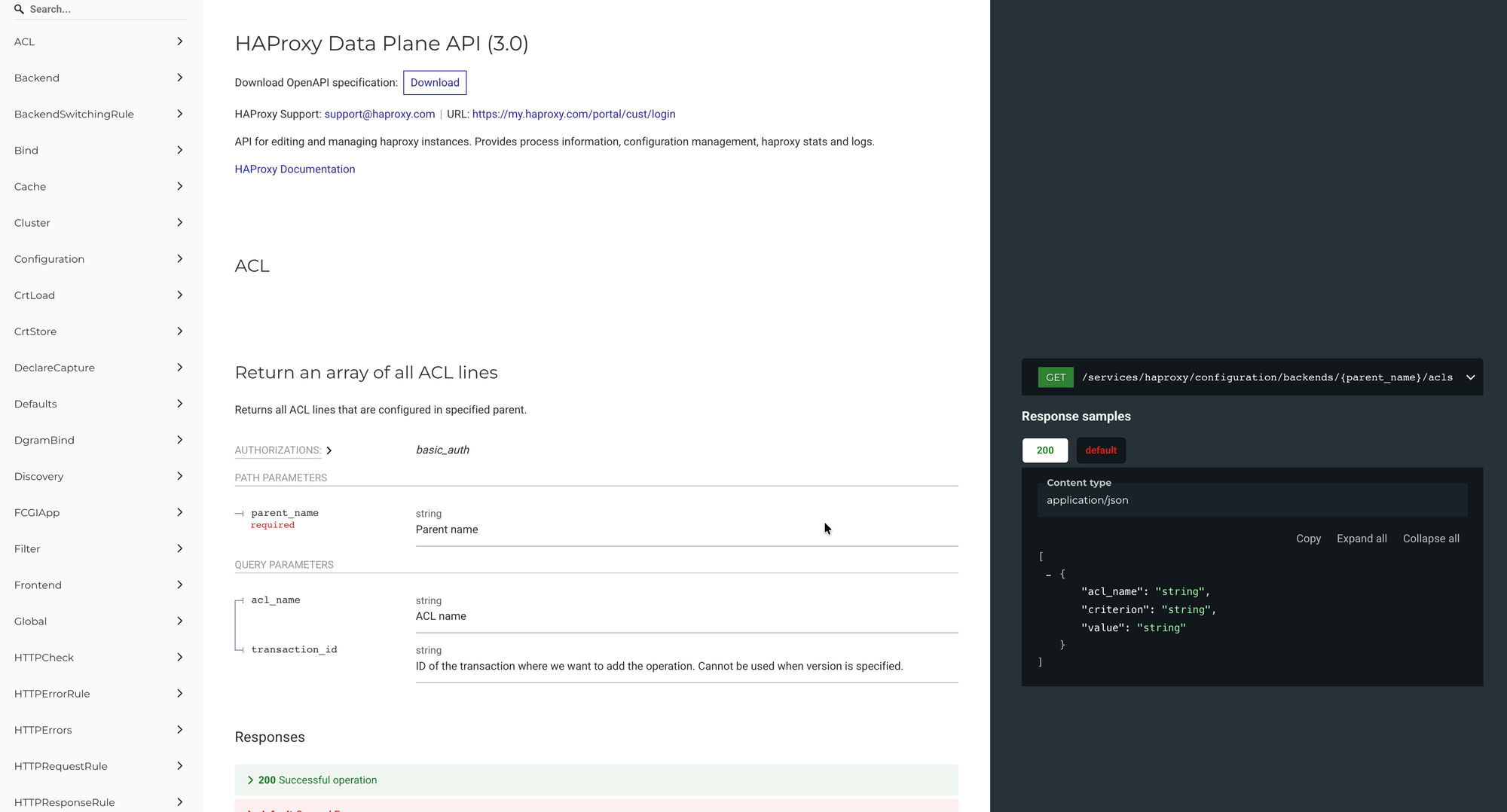
Automated Deployment with Ansible AWX
I also made an Ansible playbook for this and added it to AWX. One click deploys to all nodes. The job template prompts for the admin password so credentials stay out of git.
# Deployment is now one click in AWX, or via API:
curl -X POST -u automation:PASSWORD \
  'http://awx.internal:30080/api/v2/job_templates/36/launch/' \
  -H "Content-Type: application/json" \
  -d '{"extra_vars": {"dataplaneapi_admin_password": "SecurePass123"}}'
What This Enables
1. API-Driven Configuration Changes
No more editing files. Just HTTP calls:
# Add a new backend
curl -u admin:SECRET -X POST \
  'http://10.0.1.10:5555/v3/services/haproxy/configuration/backends' \
  -H "Content-Type: application/json" \
  -d '{"name": "new-service", "mode": "http", "balance": {"algorithm": "roundrobin"}}'

# Add a server to the backend
curl -u admin:SECRET -X POST \
  'http://10.0.1.10:5555/v3/services/haproxy/configuration/servers?backend=new-service' \
  -H "Content-Type: application/json" \
  -d '{"name": "server1", "address": "10.0.2.50", "port": 8080}'
2. Atomic Transactions
You can group multiple changes into a transaction and apply them all at once:
# Create transaction
TX=$(curl -s -u admin:SECRET -X POST \
  'http://10.0.1.10:5555/v3/services/haproxy/transactions?version=1' | jq -r '.id')

# Make multiple changes within the transaction
curl -u admin:SECRET -X POST "...?transaction_id=$TX" ...
curl -u admin:SECRET -X POST "...?transaction_id=$TX" ...

# Commit (applies all changes + reloads HAProxy)
curl -u admin:SECRET -X PUT \
  "http://10.0.1.10:5555/v3/services/haproxy/transactions/$TX"
3. Runtime Server Management
Drain connections before maintenance. No config reload required:
# Set server to maintenance mode (drain)
curl -u admin:SECRET -X PUT \
  'http://10.0.1.10:5555/v3/services/haproxy/runtime/servers/my-backend/server1' \
  -d '{"admin_state": "drain"}'

# Re-enable after maintenance
curl -u admin:SECRET -X PUT \
  'http://10.0.1.10:5555/v3/services/haproxy/runtime/servers/my-backend/server1' \
  -d '{"admin_state": "ready"}'
4. Integration with CI/CD
New services can register themselves with the load balancer automatically. Your CI/CD pipeline can add backends to HAProxy as part of the deploy.
5. Future: Cluster Synchronization
Data Plane API supports cluster mode. Changes on one node sync to the others automatically. No more manual rsync. Change once, it's everywhere.
Before vs After
Add a new backend
- Before: SSH in, edit config, validate, reload, do it again on the secondary
- After: Single API call
Drain a server for maintenance
- Before: Edit config, set weight to 0, reload service
- After: Runtime API call (instant, no reload)
Sync configuration between nodes
- Before: Manual rsync or scp
- After: Cluster mode auto-sync
CI/CD integration
- Before: Custom SSH scripts that break
- After: Standard REST API calls

Data Plane API turns HAProxy management into something you can actually automate. Manual install or Ansible, doesn't matter. The result: your load balancer config becomes code you can version, test, and deploy.
Next haproxy topic: cluster mode for automatic sync between nodes. I'll write about that once it's tested.