
103 GiB of client data, 85 folders, 21 681 files.
I was shelling out €650 per year for Dropbox Advanced, 3 licenses, 15 TB of space, to store what a Raspberry Pi could happily handle. I had 15 TB but had only used 0.7% of it. Renting a warehouse to keep a suitcase. Time to take control back.
Why Leave
The reasons are the same everyone cites, and they're all true. First, the price tag felt like theft; €650 a year for a little over 100 GiB is insane when my NAS has 3.4 TB free and is just sitting there, bored. Second, sovereignty, French client data on American servers, subject to the CLOUD Act, is a nightmare to explain to a paranoid CISO, and he's right to be paranoid. Third, dependency, whenever Dropbox changes its API, pricing or terms, you just have to roll with it, and that's the end of the story.
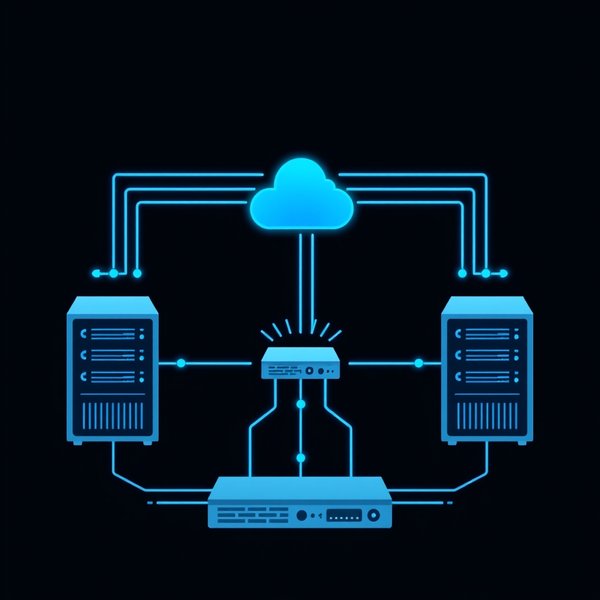
What pushed me over the edge was that I already had the infra, a 3-node Proxmox cluster, Docker Swarm, two TrueNAS appliances, HAProxy up front. All I needed was the software.
The Comparison: 5 Solutions Under the Microscope
| Solution | Strengths | Weaknesses | Best For |
|---|---|---|---|
| Nextcloud | Complete ecosystem (files, calendar, mail, video). Huge community. | Heavy. PHP + JS + Redis + everything else. Performance degrades fast. | Replacing Google Workspace entirely |
| Seafile | Fast, lightweight. Deduped block storage (Git-like). Clean REST API. Free Pro ≤ 3 users. | No calendar, no contacts. Docs are improvable. | Pure file storage, client sharing, API |
| ownCloud Infinite Scale | Rewritten in Go, modern architecture. Promising. | Young. Sparse ecosystem. Docs under construction. | Patient early adopters |
| FileRun | Most elegant UI. Simple. | Proprietary. Limited features. Opaque pricing. | Small teams wanting pretty UX |
| Syncthing | Pure P2P, zero central server, E2E encryption. | No native web UI. No API. Not suited for client sharing. | Personal sync between machines |
My pick: Seafile. I don't need a calendar, Microsoft 365 takes care of that. What I need is fast file storage, an API to automate imports, and a web UI so clients can grab their deliverables. Seafile checks every box, on paper.
Reality on the Ground

Act 1: Docker Swarm and Phantom Volumes
First deployment.
docker stack deploy -c docker-compose.yml seafileContainer starts, web UI responds, I create an account. Beautiful. I upload a test file, check the NAS, and the file's there. Victory.
Except. The file landed on the previous NFS path, the one I'd already changed in the compose file. Docker Swarm had cached the old volume definition, still pointing to the original mount point on my TrueNAS. The trap: Swarm doesn't refresh NFS volumes on redeploy. You must explicitly delete the Docker volume on every node, then redeploy.
docker stack rm seafile
# On EVERY node:
docker volume rm seafile_seafile-data
# Then:
docker stack deploy -c docker-compose.yml seafile
Time wasted: 2 hours figuring out why files kept “disappearing.”
Act 2: The Mystery of nobody
Files appeared on the NAS with uid 65534 (nobody). Seafile wrote them as root (uid 0), but TrueNAS remapped them via maproot_user. Result: Seafile created files it could no longer read. The irony.
The fix: switch from maproot_user to mapall_user=root on the TrueNAS NFS share. Brutal, but Swarm runs as root, the NAS has to accept that.
NFS Share → Advanced → Map All User → rootTwo lines in a web UI. Four hours of debugging to find them.
Act 3: MySQL and the Forgotten Three Databases
Seafile needs three separate MySQL databases: ccnet_db, seafile_db, seahub_db. The docs mention this in a section that doesn't match your installation method. I had an external MySQL on a dedicated VM. The container expected the databases to already exist. They didn't. No clear error, just a container restart looping into oblivion.
Act 4: The Admin Who Isn't Admin
Seafile Pro v13 has an is_staff concept for admin accounts. You'd think it's configurable via the web UI. Nope. You need a Django shell inside the container.
docker exec -it seafile bash
cd /opt/seafile/seafile-server-latest
python3 seahub/manage.py shell_plus
>>> u = User.objects.get(email='admin@raidho.fr')
>>> u.is_staff = True
>>> u.save()
First time, it's shocking. Second time, you're used to it. Third time, you script it.
Act 5: Migration Without Shell Access
My TrueNAS doesn't expose SSH (by design). Source and destination live on two different NFS datasets on the same NAS. How do you copy 103 GiB with no server access? Mount both NFS shares on a third server and rsync between them.
# On an intermediate server
mount -t nfs 192.168.0.234:/mnt/DATA/swarmnfs/seafile /tmp/src
mount -t nfs 192.168.0.234:/mnt/DATA/seafile /tmp/dst
rsync -avP /tmp/src/seafile/ /tmp/dst/seafile/
Elegant? No. Functional? Absolutely.
The Epilogue: The API That Saves Everything
After all the pain, a pleasant surprise: Seafile's REST API is excellent. Clear, well-documented, with simple token auth. I scripted the full import of all 85 client folders from Dropbox in a few hours.
upload_url = requests.get(
    f"{SF_URL}/api2/repos/{REPO_ID}/upload-link/",
    headers={"Authorization": f"Token {TOKEN}"}
).text.strip('"')

requests.post(upload_url,
    files={"file": open("doc.pdf", "rb")},
    data={"parent_dir": "/Clients/ACME"})
Clean. No mandatory SDK, no 47-step OAuth dance. One token, one POST, done.
What Seafile Does Well
Performance, a snappy UI even with thousands of files. Block deduplication means fast sync. Lightweight, a C backend plus a Python web stack that runs happily on a Raspberry Pi. The API, simple, RESTful and consistent. Automate anything. Price, Free Pro up to 3 users, unbeatable for micro-businesses.
Where Seafile Falls Short
Documentation, a mix of versions and install methods; budget extra time. Ecosystem, no calendar, contacts or mail. Design choice, but know it going in. Docker Swarm, not officially supported. Volumes, networking, HA, that's on you.
Plot Twist: Enter ownCloud Infinite Scale
After a month of wrestling with Seafile, I pulled the plug. Seafile is capable, but behind a polished UI lies a stack that would keep a full-time engineer busy. Three separate MySQL databases, a Django admin shell for basic operations, Docker Swarm volume caching that silently mutates between deploys, NFS permission chaos, all of that adds up. For a small consultancy without a dedicated DBA or Python dev, every Seafile maintenance window felt like a production incident.
Enter ownCloud Infinite Scale (OCIS). A single Go binary. No MySQL, no PHP, no Memcached, no Elasticsearch. Run ocis init and it generates config, certs, service accounts, done. With OIDC via Authentik for enterprise authentication and NFS on TrueNAS for storage, deployment dropped from days to about four hours. OCIS slipped into place like it was designed for exactly this stack.
Why OCIS Won
- no MySQL, no Redis, no PHP. Just Go. Fewer moving parts, fewer things to break.no MySQL, no Redis, no PHP. Just Go. Fewer moving parts, fewer things to break.
- Authentik as external IDP, no SSO adapters or Pro-only OAuth.Authentik as external IDP, no SSO adapters or Pro-only OAuth.
- quota, spaces, WebDAV, all functional immediately. No plugins.quota, spaces, WebDAV, all functional immediately. No plugins.
- TrueNAS as single source of truth, no Docker volume caching nightmares.TrueNAS as single source of truth, no Docker volume caching nightmares.
- about four hours versus the multi-day Seafile bootstrap.about four hours versus the multi-day Seafile bootstrap.
- one container, one config file, one NFS mount.one container, one config file, one NFS mount.
- admin operations via REST API, not Python one-liners in a container.admin operations via REST API, not Python one-liners in a container.
OCIS Wasn't Perfect Either
The biggest wrinkle was OIDC configuration with an external identity provider. Authentik worked, but I had to override CSP headers on the reverse proxy, discover that OCIS's well-known rewriting does not forward to the external IDP, and learn the hard way that the web client needs a public OAuth2 client, not a confidential one.
env var and works fine, but desktop and mobile clients follow the OIDC spec, they fetch.well-known/openid-configuration discovery document with its own /konnect/v1/token and /signin/v1/identifier/_/authorize endpoints. The web UI happily uses the WEB_OIDC_AUTHORITY env var and works fine, but desktop and mobile clients follow the OIDC spec, they fetch .well-known first, get the wrong endpoints, and fail silently. The fix:
OCIS_EXCLUDE_RUN_SERVICES: idp
PROXY_OIDC_REWRITE_WELLKNOWN: "true"
The first kills Konnect entirely. The second tells the proxy to serve the correct discovery document pointing to your real IDP.
The native clients add another layer of pain. The ownCloud desktop and iOS apps ship with hardcoded OAuth2 client_ids baked into their source code. Nothing in the official docs mentions they exist. To use an external IDP you must create an OAuth2 provider for each client with the exact client_id the app sends. The only way to find them? Check your IDP's error logs or intercept the auth request URL. Worse, the client_ids you find on GitHub issues or community docs are sometimes wrong. I had the last three characters swapped on the desktop one and spent an hour chasing a "client_id missing or invalid" error.
The desktop client also uses dynamic localhost ports for the OAuth callback, so you need regex matching on redirect URIs (http://localhost.* and http://127.0.0.1.*). The iOS client uses a custom URL scheme (oc://ios.owncloud.com).
Then there's the missing offline_access scope. Desktop and mobile clients request it to get a refresh token. If your IDP provider doesn't have this scope mapping assigned, the token endpoint returns a response without refresh_token and the client crashes with a cryptic "missing field refresh_token" error. This is not mentioned anywhere in the OCIS documentation.
On top of all that, BoltDB password resets require exclusive access (scale the service to zero first), and autoprovisioning has quirks when basic auth meets an external IDP. All of these were one-time, documentable headaches, not ongoing operational debt. But they were real headaches.
Native Client Setup: The Hidden Boss Fight
Here's the practical summary I wish someone had written before I started.
Desktop and mobile apps each have their own hardcoded client_ids that you must replicate exactly, character for character, in your IDP configuration.client_id=owncloud. Desktop and mobile apps each have their own hardcoded client_ids that you must replicate exactly, character for character, in your IDP configuration.
All providers need the offline_access scope mapping or the apps will never get a refresh token. Redirect URIs need regex matching for the desktop client (it picks a random ephemeral port on localhost) and custom URL schemes for mobile (oc://ios.owncloud.com for iOS).
Pro tip: enable debug logging on your IDP, attempt a connection from the native client, and read the failed authorization request. The real client_id will be right there in the logs. Do not trust client_ids from forum posts or GitHub issues without verifying them against the actual request.
Four OAuth2 providers, three scope corrections, two client_id typo hunts, and one service to disable. About six hours of work that zero documentation prepared me for.
The Final Move: Kubernetes and Talos Linux
A few months after settling on OCIS, I migrated my entire infrastructure from Docker Swarm to a Talos Linux Kubernetes cluster. It had three control-plane nodes and three workers, all running on Proxmox VMs with Cilium CNI and MetalLB BGP for service exposure.
OCIS was one of roughly 28 services that made the jump. And honestly, it was one of the smoothest. The data was already sitting on TrueNAS NFS shares, so the migration boiled down to writing a Kubernetes Deployment, pointing the PersistentVolume to the same NFS path, and letting the single Go binary pick up right where it left off.
No database dump to export, no cache to warm up, no PHP-FPM pool to tune. Just a container, a volume, and a LoadBalancer service. OCIS started, found its BoltDB and its data directory, and resumed serving files as if nothing had happened.
The contrast with what Seafile would have required, MySQL migration, Memcached reconfiguration, three separate databases to move, permission mappings to redo, only reinforced that the switch to OCIS was the right call. A single-binary architecture doesn't just simplify day-to-day operations. It makes infrastructure migrations almost boring. In production, boring is exactly what you want.
 Stephane Thirion
Verdict
Seafile is solid, fast sync, clean API, lightweight footprint. For pure file storage with desktop sync, it's genuinely good. But the operational cost outpaced the benefits for a one-person consultancy. Three MySQL databases, a Django admin shell for basic tasks, NFS permission nightmares, and a stack that felt like juggling chainsaws, the maintenance overhead was higher than the feature gap.
OCIS gave me a lean, single-binary deployment with all core features baked in. No database admin needed, no Python dev for day-to-day ops. The OIDC setup was tricky but documentable. Long-term, the reduction in operational friction wins out, I can focus on delivering services instead of maintaining the file server.
Sometimes the best migration is the one where you migrate away from your first migration.